Most smartphones in 2026 feel like equal parts computer and camera. The camera keeps getting more important, the hardware keeps getting bigger, and photography takes up more and more of the sales pitch.
But what if you went all the way? What if you built a camera that just happened to have a phone attached?
That is pretty much the Xiaomi 17 Ultra Leica Edition. Everything about it suggests that you came here to buy a camera, and the smartphone is the bonus. And after spending time shooting with it, I have a slightly unexpected conclusion: I would not necessarily call this the best smartphone camera system for pure image quality. But it is the most fun smartphone photography experience I have ever had.
Xiaomi provided the phone for review.
Quick Summary
- The Xiaomi 17 Ultra Leica Edition prioritizes an enjoyable photography experience over purely clinical image quality.
- Leica Essential Mode builds distinctive color and monochrome looks directly into the capture process.
- The customizable camera ring adds tactile controls but can cause accidental launches and obstructed shots.
- Flagship performance, a large battery, and fast charging keep the phone side competitive.
The Leica Experience Starts in the Box
There is a lot of Leica branding here. Enough that I was initially nervous this would turn out to be a licensing exercise with a nice logo attached. But the execution is much more thoughtful than that, starting with the accessories.
Alongside the phone, you get:
- A custom Leica-branded case with built-in MagSafe magnets.
- An aluminum lens cap that fits the case, with an even bigger Leica logo.
- A really soft, high-quality microfiber cloth for cleaning the lenses.
- A wrist strap that attaches to the corner of the case like a camera lanyard.
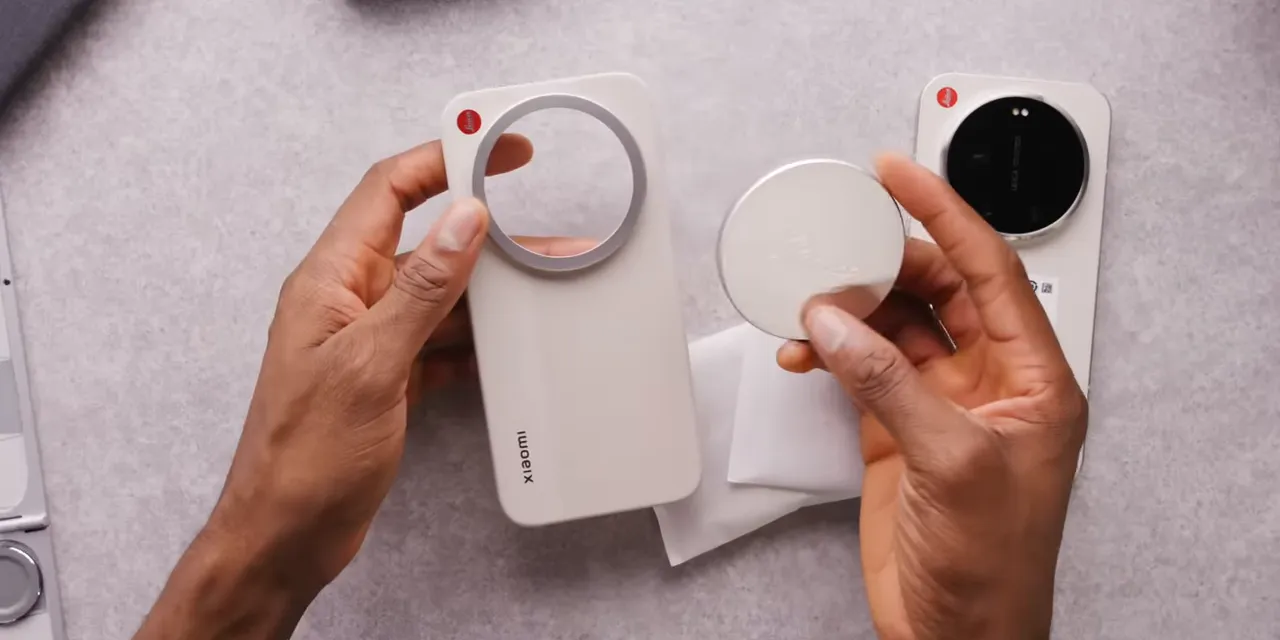
The accessories feel genuinely nice. If someone told me this little package cost $50 or $60 by itself, I would believe them. That is my estimate of how premium it feels, not a separate retail price.
A Phone Designed to Be Held Like a Camera
The Xiaomi 17 Pro and Pro Max leaned pretty clearly toward the iPhone 17 Pro design. The Ultra goes in a different direction, and I actually like it a lot.
My cream version has a subtle two-tone finish. The lower two-thirds of the back have a slight texture, while the upper third is smooth. The buttons are super clicky, and the circular volume buttons, complete with plus and minus symbols, give me a little iPhone 4 nostalgia.
Then there is the orientation. All the branding on the back is horizontal, because this thing wants to be held in landscape.
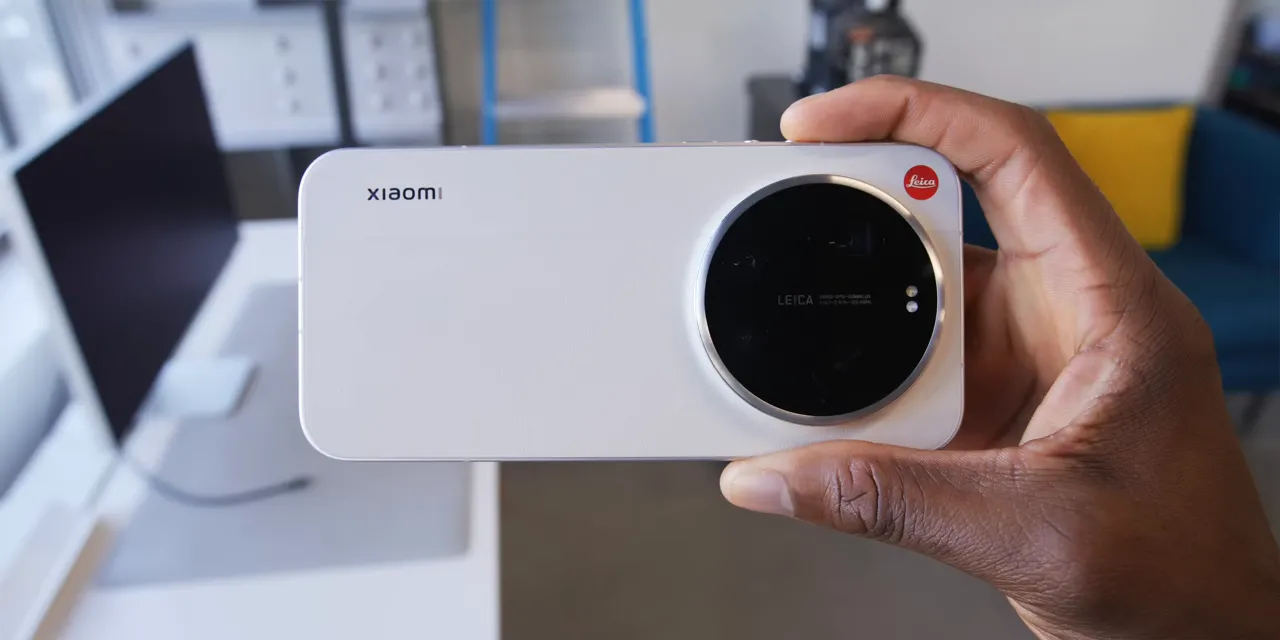
It also says Leica more often than Xiaomi. There is the red logo in the corner, Leica lettering on the camera module, and Leica Camera Germany branding along the side above a knurled grip texture.
The huge circular camera plateau is surrounded by a textured metal ring. And that ring actually turns. It is not just decorative, which is where things get interesting.
The one surprisingly absent piece? A dedicated shutter button in the usual landscape-camera position. For a phone leaning this hard into being a camera, that feels like the obvious finishing touch.
The Camera Hardware Is Serious
There are three cameras on the back, and each has something worth talking about.
- Main camera: A massive 1-inch-type, 50-megapixel sensor with an f/1.67 lens.
- Ultrawide: A 50-megapixel sensor with a very wide 14mm-equivalent lens at f/2.2.
- Telephoto: A 200-megapixel sensor with a genuine variable-focal-length lens, moving smoothly from 75mm to 100mm equivalent at f/2.39 to f/2.96.
That last part is important. This is not simply switching between two fixed cameras or digitally cropping to make the image look closer. Within that 75mm to 100mm range, the optics actually change focal length.
If the terminology gets confusing, 35mm-equivalent focal length gives us a common way to compare framing across cameras with different sensor sizes. Here, 14mm means a very wide view, while 75mm to 100mm gives you a much tighter frame.
The telephoto can use its full 200-megapixel sensor throughout that optical range before further cropping comes into play. And having all that resolution available makes it satisfying to keep punching in and still get respectable distant detail without leaning so heavily on AI enhancement.
Great Point-and-Shoot Results, Without Being Too Clinical
Put aside all the special modes, and this still works really well as a normal smartphone camera.
Autofocus is quick and reliable. The big main sensor delivers plenty of detail and a nice shallow depth of field. You can just point, shoot, and get a great-looking image.
It does still have that familiar Xiaomi tendency to brighten skin tones. So, no, it is not perfectly neutral or clinical. Image quality is very high up there, but I would not automatically crown it the absolute best.
The ultrawide deserves some credit, too. A 14mm-equivalent lens is properly wide, and the quality is good enough that I actually want to use it. It is not just the extra camera you tolerate when you cannot step back any farther.
Video Is More Than an Afterthought
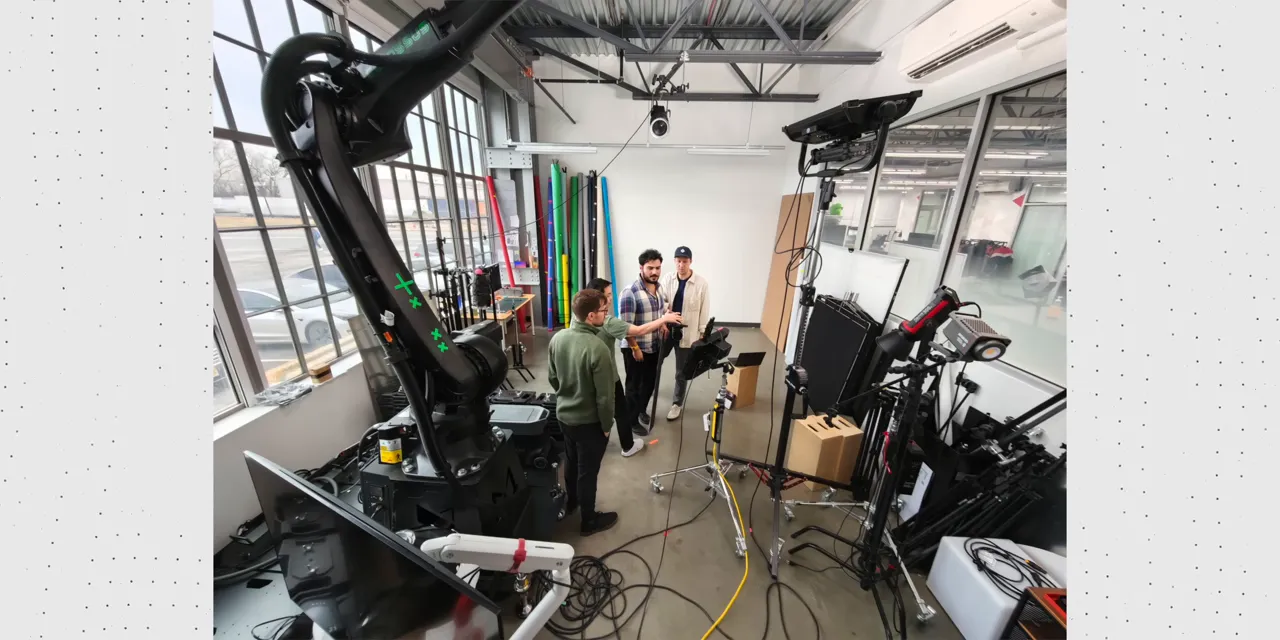
I shot most of my Tesla Model Y Performance review with this phone, and the footage looks great. Getting good-looking 8K video out of it is remarkably easy.
The microphones are less impressive. I used an external microphone for that project, which solved the audio issue right away.
And because apparently there needed to be one more wild number on the spec sheet, there is also a 1920 × 1080 slow-motion mode at 1,920 frames per second. Because why not?
Leica Essential Mode Is Where the Personality Shows Up
In the regular photo mode, you can switch between Leica Vibrant and Leica Authentic profiles. I mostly stayed with Vibrant because I like how it looks.
But when I wanted something with a little more character, I kept coming back to Leica Essential Mode.
This is where the partnership starts to feel like more than branding. The looks are integrated into the capture process rather than simply applied as removable filters afterward. That also means you need to commit: you cannot just undo the look and recover a normal color photo later.
The M9 Look
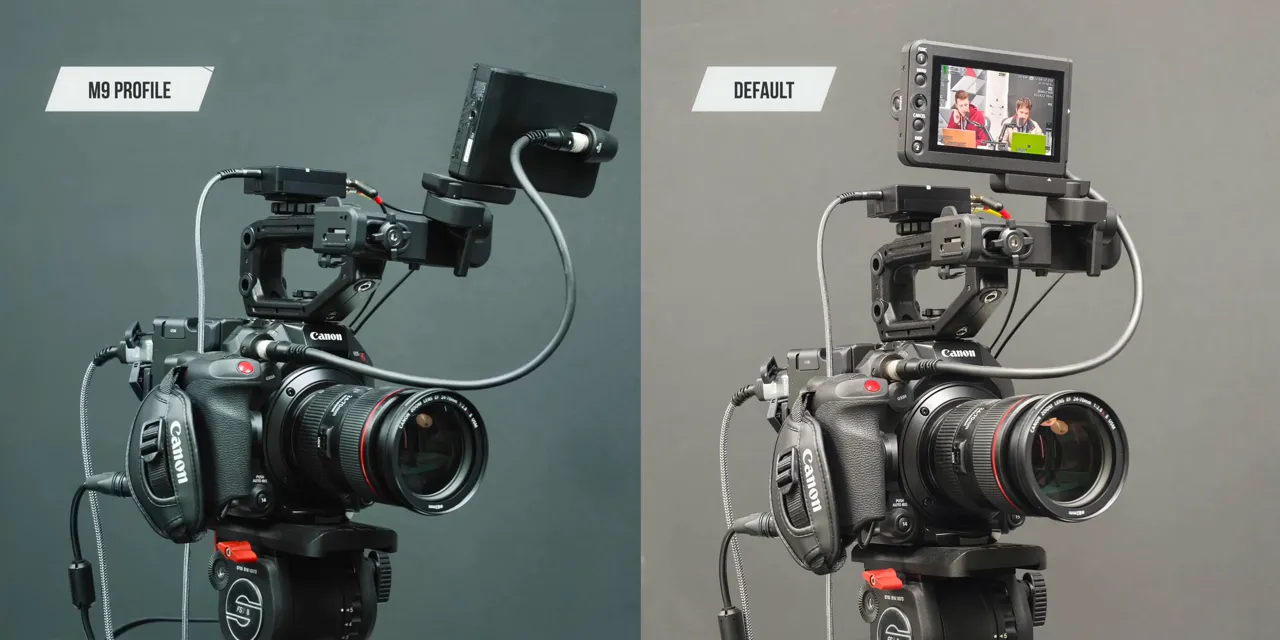
The M9 profile locks white balance to daylight and gives you a different color response with more contrast. The images remain sharp, but they feel a little less processed and a little more organic.
Are they technically the highest-quality images the phone can produce? Not necessarily. But that is not really the point. They make taking a more expressive photo feel easy, and they encouraged me to experiment.
The Monochrome Look
The M3 option is monochrome, with processing intended to emulate the Leica M11 Monochrom. Again, it is not just a basic black-and-white filter.
You get stronger contrast, less dynamic range, and a nice grain. It is a deliberate aesthetic rather than a pursuit of maximum detail in every highlight and shadow.
There are also dozens of other subtle looks and plenty of additional camera modes. The important thing is not that the menu is long. It is that the options make me want to keep taking pictures.
The Camera Ring Is More Than a Zoom Dial
The metal ring around the rear camera turns smoothly, but haptics make it feel like it has little mechanical notches. The effect is pretty convincing, and really satisfying.
A quick twist can launch the camera. Once the camera is open, the ring becomes a physical control whose behavior changes with the shooting mode.
- Photo mode: It controls zoom by default.
- Video mode: It adjusts exposure compensation by default.
- Pro mode: You can assign controls such as manual focus, shutter speed, or white balance in Kelvin.
The settings go deeper than a single global assignment. You can choose what the ring does in different camera modes and adjust its sensitivity.
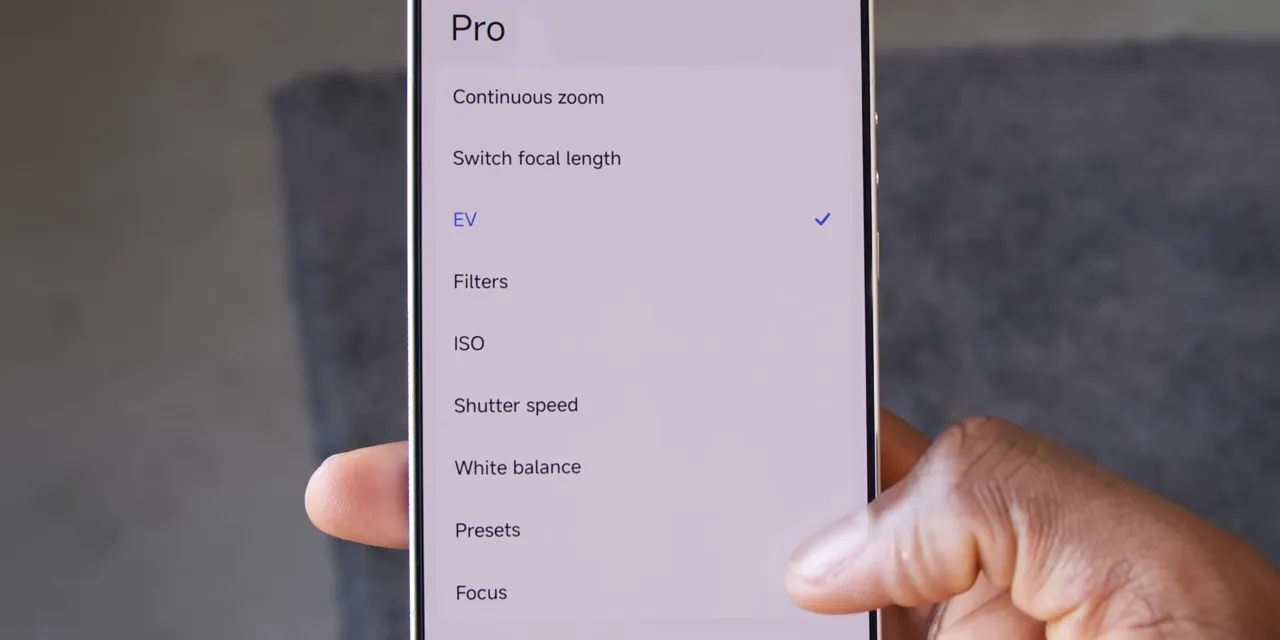
A physical white-balance dial on a smartphone is pretty sick. So is turning that ring into a manual focus control.
It reminds me of the iPhone’s Camera Control concept, but this is much more physical and offers much more flexibility. Between the sensors, accessories, Leica processing, shooting modes, and ring customization, Xiaomi has clearly thought about the entire experience.
Underneath the Camera, There Is Still a Flagship
The funny thing is that calling this a camera with a phone attached undersells the phone part. It is still a proper Xiaomi flagship.
- Processor: Snapdragon 8 Elite Gen 5.
- Memory and storage: LPDDR5X RAM and UFS 4.1 storage.
- Display: A flat 6.9-inch, 120Hz panel with brightness reaching up to 3,500 nits.
- Battery: A 6,800mAh silicon-carbon battery.
- Charging: 90W wired and 50W wireless charging.
- Durability: An IP69 dust and water resistance rating.
- Software: HyperOS 3 on Android 16.
Performance is great for a “camera.” And keeping the IP69 rating despite that moving camera ring is a particularly nice detail.
The Rough Edges: A Clever Ring and a Short Optical Zoom
Nothing is perfect, and a few parts of this camera-first approach are more awkward in real use than they sound on paper.
Your Fingers Can Get in the Shot
The ring works, but using it to zoom can feel clunky. You are putting your fingers right next to the lenses, which makes it very easy for one to enter the frame, especially when you zoom out to the ultrawide.
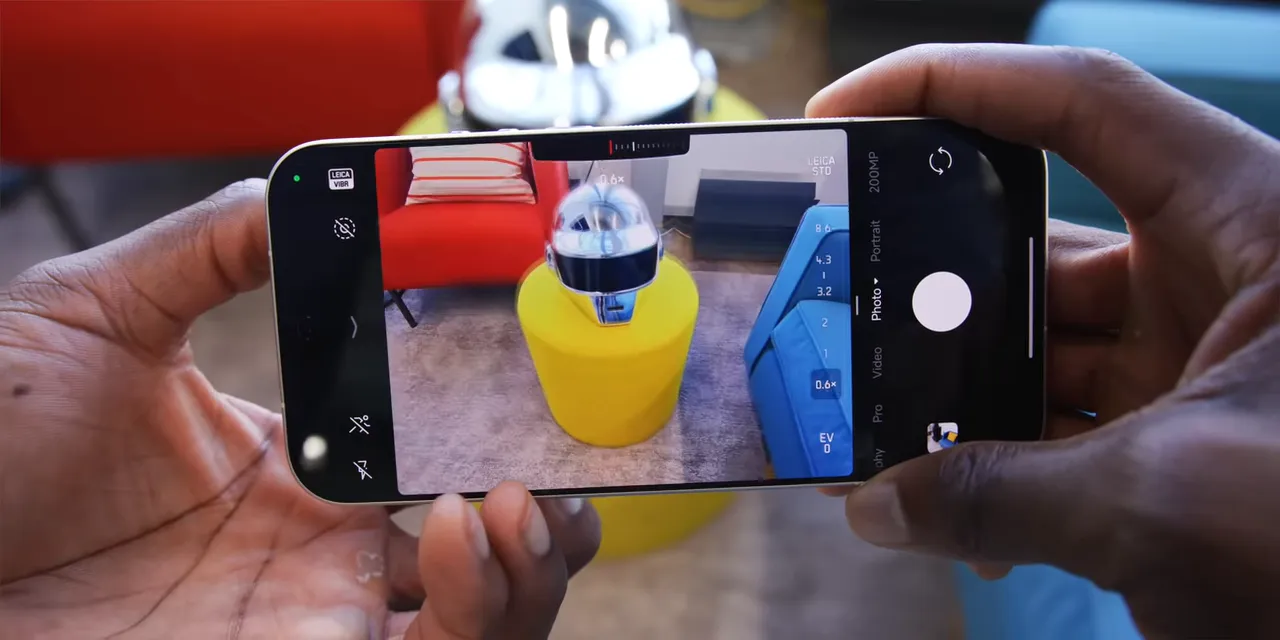
Sometimes using the touchscreen is simply easier.
It is also annoyingly easy to brush the ring while handling the phone and accidentally quick-launch the camera. A physical shortcut is great until it starts becoming an accidental shortcut.
The Variable Zoom Covers a Small Range
Fitting a variable optical zoom inside a sideways periscope assembly is genuinely interesting engineering. But 75mm to 100mm is not a huge range.
In the camera interface, that is roughly 3.2x to 4.3x. That is the section where the smooth, continuous optical zoom happens, not the whole zoom range of the phone.
There are plenty of situations where that adjustment is useful. Still, it is a small enough difference that sometimes taking a couple of steps forward would get you a similar change in framing. The technology is cooler than the size of the zoom range might suggest.
A Useful Settings Correction
During testing, I was frustrated that selecting 50-megapixel photos would revert to the default 12-megapixel binned setting after closing and reopening the camera.
Correction: the camera settings include a Preserve settings menu that can remember several parameters, including resolution. So this is not an unavoidable limitation. If you prefer higher-resolution capture, that is an important setting to check rather than repeatedly changing the resolution every time you open the app.
The Verdict: The Fun Is the Point
I started out suspicious of all those Leica logos. It looked like a product perfectly positioned to disappoint me with branding wrapped around an otherwise normal flagship camera.
Instead, Xiaomi delivered something much more complete.
The image quality is excellent without necessarily being the outright best. The camera ring is clever without always being the easiest control to use. The optical zoom is real without covering a particularly large range.
But taken together, the hardware, accessories, processing, and customization make this the most enjoyable smartphone camera experience I have used.
The best camera is still the one you have with you. Having that be a pocketable, Leica-inspired experience that also happens to be a powerful flagship phone is pretty cool.
Well played, Xiaomi.
Sponsor: Cleaning Up Spending With Rocket Money
Rocket Money sponsored this review, and cleaning up spending is one of my resolutions. Connecting my accounts immediately surfaced a couple of subscriptions I had forgotten I was paying for, with cancellation available through the app.
It also puts checking, savings, and credit card accounts into one dashboard and automatically categorizes spending. Being able to compare video gear purchases with more responsible expenses without opening five different apps is useful. So is finding out exactly how much goes toward eating out versus groceries.
Rocket Money is free to download, with additional features available through Premium.
|


