Apple has had a pretty obvious hole in its smart home lineup: a display that brings everything together. Something that lives in your kitchen or on your wall, controls your connected devices, and gives you a reason to use more than just a HomePod.
HomeView is Apple's answer. And after spending some time with it, I understand why Apple made it. I'm just not convinced most people should buy it.
There are some genuinely clever ideas here, especially for households with multiple Apple accounts. But there are also some strange pricing decisions, familiar Siri limitations, and a pretty important question: Who is this actually ideal for?
Quick Summary
- HomeView starts at $300, while wall mounting requires an additional adapter and sacrifices the base woofer.
- Automatic account switching supports six people, but personalized responses depend on camera-based recognition.
- There is no App Store, so third-party services rely on content streamed from an iPhone.
- Useful Apple integrations don't yet make the price premium convincing for most households.
What Is Apple HomeView?
HomeView is a smart home dashboard built around a 7-inch square touchscreen. It's meant to connect you to things like thermostats, doorbells, and security cameras, filling roughly the same role as a Google Nest Hub Max or Amazon Echo Hub.
The stand-mounted version puts that screen on a color-matched metal base. There are speakers, a camera at the top of the display, and a short arm that lets you tilt the screen up and down.
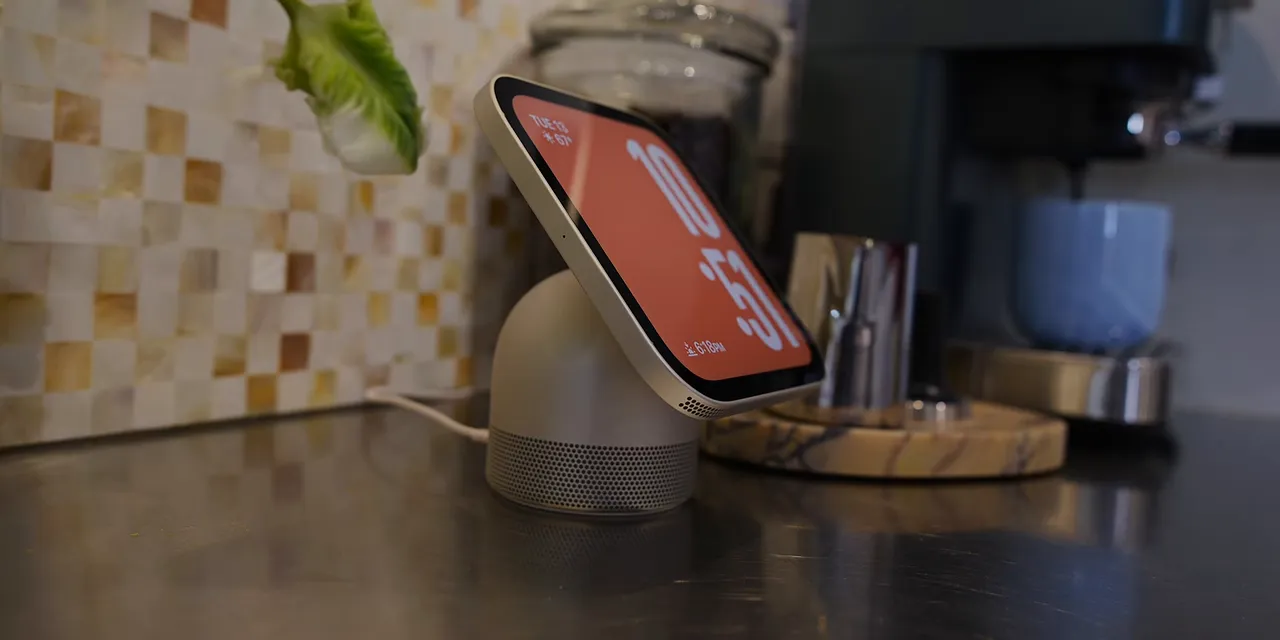
I can see a little iMac G4 inspiration in the rounded base and floating display. A little. There are also rumors of a future version with a bigger screen and a more fully articulating arm, which would make that comparison even more obvious. But that's a different product for a different day.
HomeView arrives alongside a broader refresh of Apple's home devices:
- HomePod mini 2: New colors and an illuminated top display that matches your music's album art.
- Apple TV 4K: Far-field microphones and a remote with speakers, so you can ask Siri to help find it. That's clever.
- HomeView: The shared screen intended to tie the smart home together.
That lineup makes sense strategically. If Apple wants people to choose its ecosystem instead of building an Amazon or Google smart home, it needs equivalent options. But having an option and having a compelling option are two different things.
The $300 Price Is Only the Starting Point
Here's where the comparison starts:
- Google Nest Hub Max: $229.
- Amazon Echo Hub: $179.
- Apple HomeView: $300.
The premium isn't automatically a deal-breaker. Apple charging more than the competition is not exactly breaking news. But that higher starting price means the details matter, and the two HomeView versions make things weird pretty quickly.
Stand or Wall Mount, Same Price
You can buy HomeView with its metal stand, or choose a wall-mounted version. Both cost $300.
The speakers in the stand version are split between the screen and the base. There are dual speakers in the display, plus a low-frequency woofer in the base to fill out the sound. Remove the base, and you lose that woofer.
So the wall-mounted version already gives you less complete audio. It also comes only in silver or gray, rather than the broader color selection available with the stand.
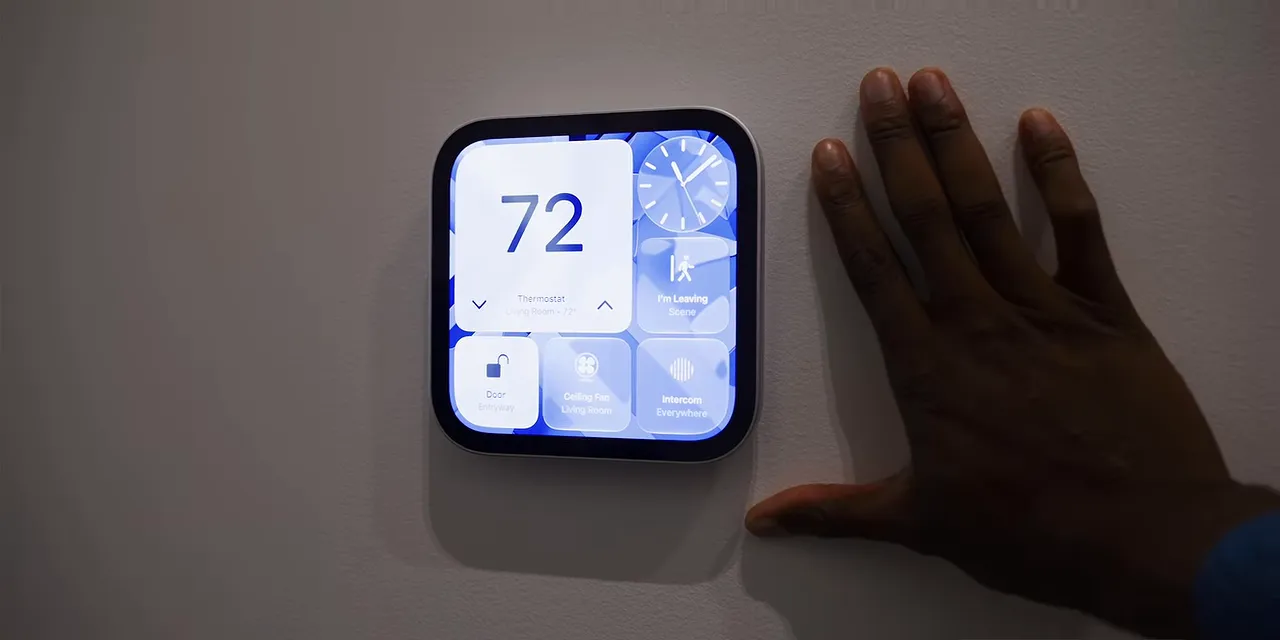
And then you still have to buy the adapter to actually mount it. That isn't included by default.
- USB-C wall adapter: $60.
- AC adapter: $80.
- Power over Ethernet adapter: $130.
That puts the wall-mounted setup at $360, $380, or $430, depending on the adapter you choose, before tax.
To recap the actual buying decision: the wall version costs the same as the stand version, loses the woofer, offers fewer colors, and needs an extra purchase to attach it to the wall.
Why do these cost the same amount? I haven't figured that one out.
Familiar Apple Software, but No App Store
Inside HomeView is an A18 chip. Apple apparently has plenty of those to go around.
The software isn't iOS or iPadOS. It's a separate HomeView interface, although Apple didn't clearly establish an operating system name during the presentation. Calling it HomeView OS is convenient, but I wouldn't treat that as a confirmed name.
What is immediately clear is where the interface gets its ideas.
The customizable clock faces feel very Apple Watch. You get modular layouts, complications, and different ways to arrange information. On a screen this shape, some of those faces really do make it look like a giant Apple Watch.
Swipe up from the bottom and you get a customizable app drawer with widgets. That part feels much closer to an iPhone home screen.
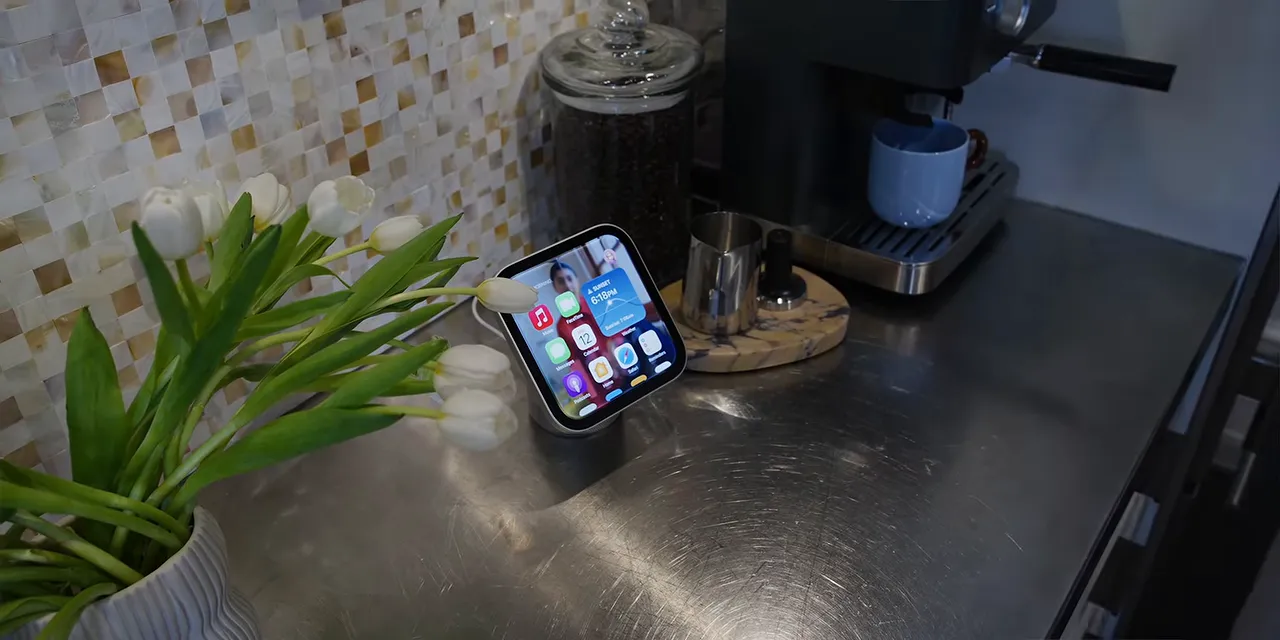
But here's the important distinction: there is no App Store, and HomeView does not run third-party apps natively.
That grid of icons doesn't turn it into a small iPad. You're working within the software Apple provides, with your iPhone handling certain third-party experiences.
I was told that apps supporting the CarPlay framework can present content from the iPhone on HomeView. That's useful, but it's still not the same as installing and running those apps directly on the display.
Fast Account Switching Is the Clever Part
The most interesting HomeView feature is automatic account switching for up to six people.
Walk up to the display, and its camera recognizes you. It can then switch to your Apple account and use your personal context, including things like your messages and calendar.
Someone else in the household walks up? It switches to their account instead.
That's exactly the kind of behavior a shared home device should have. I've wanted a practical version of this on iPads for years. A family shouldn't need a separate device for every person just to keep everyone's information separate.
If HomeView doesn't recognize anyone, it still works as a general-purpose home display. It can run timers, answer general Siri questions, report the weather, and play music. It simply doesn't expose the same personal information. You can also choose which personal information is available.
So the basic idea is good: one shared device, different personal experiences, without manually signing in and out every time.
This Is Not Face ID
There are two important limitations, though.
First, the recognition system uses a single 12-megapixel Center Stage camera. It doesn't have the extra infrared or depth-sensing hardware associated with full Face ID.
Instead, HomeView also checks whether your iPhone or Apple Watch is nearby and was recently unlocked. That's an additional signal to help confirm that the person in front of the display is actually you.
In theory, that should make it harder for someone to fool the system by holding up your photo while you're somewhere else, or while your phone has been locked for a while. But that's a proposed safeguard, not something I've thoroughly tested.
I also have questions about recognition in a dark room. Without infrared hardware, how reliably does it identify someone at night? That needs more testing than a short hands-on session can provide.
Personal Answers Depend on the Camera
The second limitation is that HomeView doesn't offer voice-based identification for these personalized responses as described in the demo. It needs to see you in the general vicinity.
That's surprising. My Google smart home setup is supposed to recognize my voice and provide answers from my account, then do the same for someone else with their own account. It doesn't always work perfectly, but the intended behavior makes sense.
With HomeView, being around the corner or sitting on the couch outside the camera's view means you can't count on that personal context.
Automatic account switching is a strong idea. Requiring a shared home assistant to see you before it can give you personal answers makes that idea less flexible.
The Display Gets an Important Detail Right
Whatever you think of the slightly funky design, the LCD itself looks pretty decent.
- Maximum brightness: 500 nits.
- Minimum brightness: 0.3 nits.
- Color adjustment: True Tone.
- Refresh rate: It looked like 60Hz during my brief time with it, but I couldn't confirm that.
That very low minimum brightness is more important than it might sound. If this sits in a bedroom, you don't want a glowing square lighting up the room all night. At least this potentially very expensive alarm clock can avoid being annoyingly bright.
The thick black bezels are harder to miss. I still remember Apple explaining that white iMac bezels helped make that computer feel friendlier and more at home in different rooms. Now here's another device specifically designed for the home, with black bezels. Okay.
There's also no battery. You can unplug HomeView easily, but it won't do anything useful until you plug it back in.
The good news is that it uses USB-C. That makes moving it between suitable power sources more convenient, even if it doesn't make it a portable tablet.
Music, FaceTime, and the Familiar Siri Trade-Offs
A lot of HomeView's everyday behavior feels like a HomePod with a screen.
It relies on the new AI-enhanced Siri, which can do more than before but still felt a little slow in my time with it. And its default responses naturally lean toward Apple's own services. Ask for music, and you're in Apple Music. Ask about your calendar, and you're in Apple Calendar.
The iPhone connection is more interesting. Like a HomePod, HomeView lets you bring your phone up to it to hand off supported content.
- Apple Music: Move playback from your phone to HomeView.
- Safari: Transfer an open link so it opens in Safari on the display.
- FaceTime: Move an ongoing call to HomeView and use its screen and camera.
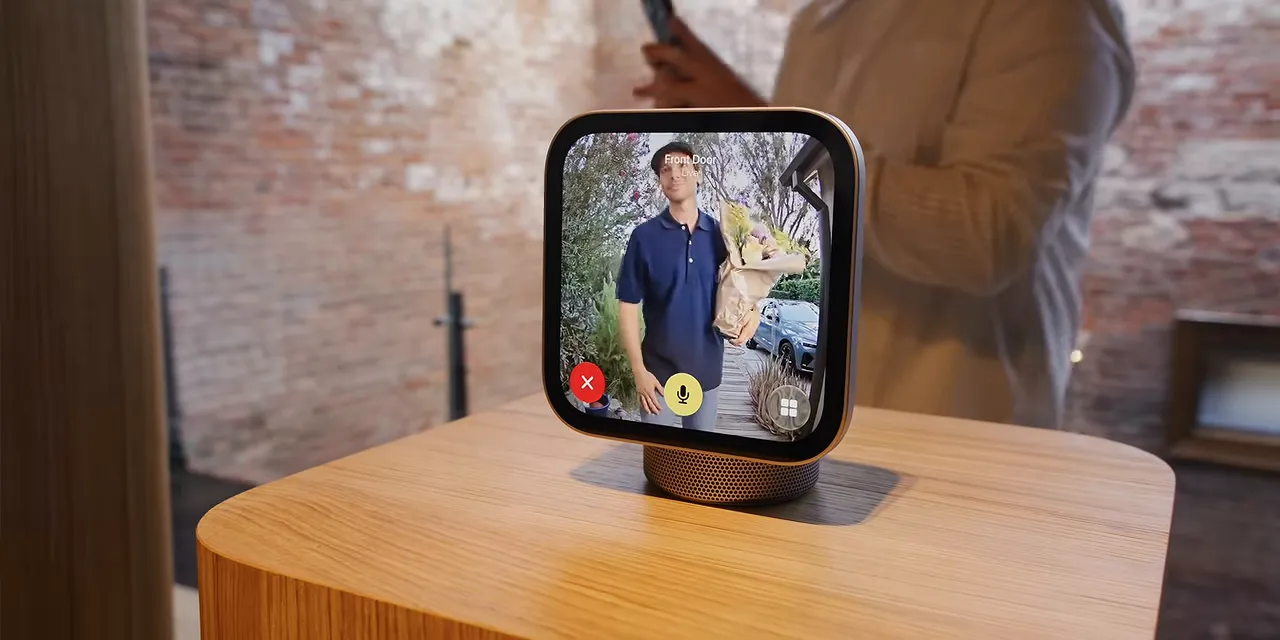
Those are useful integrations, especially if your household already does almost everything through an iPhone.
For third-party services, the approach is essentially streaming from the phone rather than running the app on HomeView. AirPlay handles playback, and I was told compatible CarPlay apps can also show an interface from the iPhone. Services like Spotify and SoundCloud can therefore play through HomeView, but that doesn't change the lack of native third-party apps.
As for sound quality, the stand version was fine. The woofer gives it some bass, although maximum volume was lower than I expected. It is a small device, to be fair.
At least it didn't seem to chase extra volume by getting distorted or sounding genuinely bad. Not an amazing audio revelation, but a reasonable result for the size.
Who Is HomeView Actually For?
Apple's broader smart home strategy is easy to understand. Alongside HomeView, it worked with LG on a Smart Home Collection that includes devices such as doorbells, thermostats, and security cameras built to meet Apple's standards.
That's an attempt to give people more reasons to build an Apple smart home instead of committing to Amazon or Google.
But whenever I try a new product, I want to identify the person it's best for. After roughly a day with HomeView, that person still isn't obvious to me.
Maybe it's the casual Apple user who doesn't care much about the price, likes the design, and thinks the iPhone handoff features are cool. Sure. I can see that.
For the enthusiast who's ready to go all in on smart lights, a doorbell, cameras, and a thermostat, Apple's ecosystem still feels much smaller than Amazon's and even Google's. And the basic usefulness of a display sitting in your kitchen isn't radically different between them.
That's the problem. HomeView has some nice details, but I'm not seeing enough extra everyday value to justify the premium.
My suspicion is that, once the first couple of weeks of novelty wear off, it becomes an LCD square attached to a speaker in the corner. Occasionally you ask for music. You set a timer. You ask Siri a question.
It's fine at those things. But fine isn't a particularly convincing reason to spend more.
My first impression: HomeView is a skip for most people. The account switching is promising, the display handles brightness well, and the iPhone integration has useful moments. Maybe a second generation brings those ideas together into something more compelling. This first version isn't there for me.
A Quick Deskpad Update
The smooth deskpad sold out following the launch, and we're working to restock it. My personal preference is still the rough version with a little more texture, which was still available at the time of this update.
|


