Apple actually hit the price. The MacBook Neo starts at $599, making it the cheapest entry into the Mac laptop lineup and putting it at the same starting price as a Mac mini. Except this one includes a screen, keyboard, trackpad, and battery.
First, though: Neo? When that name leaked, I figured it might be a code name. I would have bet Apple would just call this thing the MacBook. But no, MacBook Neo it is.
The name is interesting. The computer is more interesting. After some limited hands-on time, this looks like a genuinely attainable Mac that doesn't feel cheap. It also feels suspiciously familiar, like a computer Apple tried to make about a decade ago, finally getting the chip and the price it needed.
Quick Summary
- The MacBook Neo starts at $599, bringing an aluminum Mac laptop to a much lower price.
- Its A18 Pro and 8GB of RAM target everyday computing rather than demanding creative work.
- Student pricing of $499 makes education an especially compelling market for the Neo.
- Early build impressions are promising, but performance and battery life still need proper testing.
What You Get for $599
The MacBook Neo is a 13-inch, all-aluminum laptop powered by an A18 Pro. That's the chip family from the iPhone 16 Pro, not an M-series chip from another Mac.
Here are the basics:
- Processor: A18 Pro with a five-core GPU, rather than the six-core GPU version in the iPhone 16 Pro.
- Memory: 8GB of RAM.
- Storage: 256GB to start.
- Display: 13 inches, 2408 × 1506 resolution, 60Hz, and up to 500 nits of brightness.
- Camera: A 1080p webcam tucked into the top bezel, with no notch.
- Connections: Two USB-C ports and a headphone jack on the left side, plus side-firing stereo speakers.
- Weight: 2.7 pounds.
- Colors: Indigo, blush, citrus, and silver.
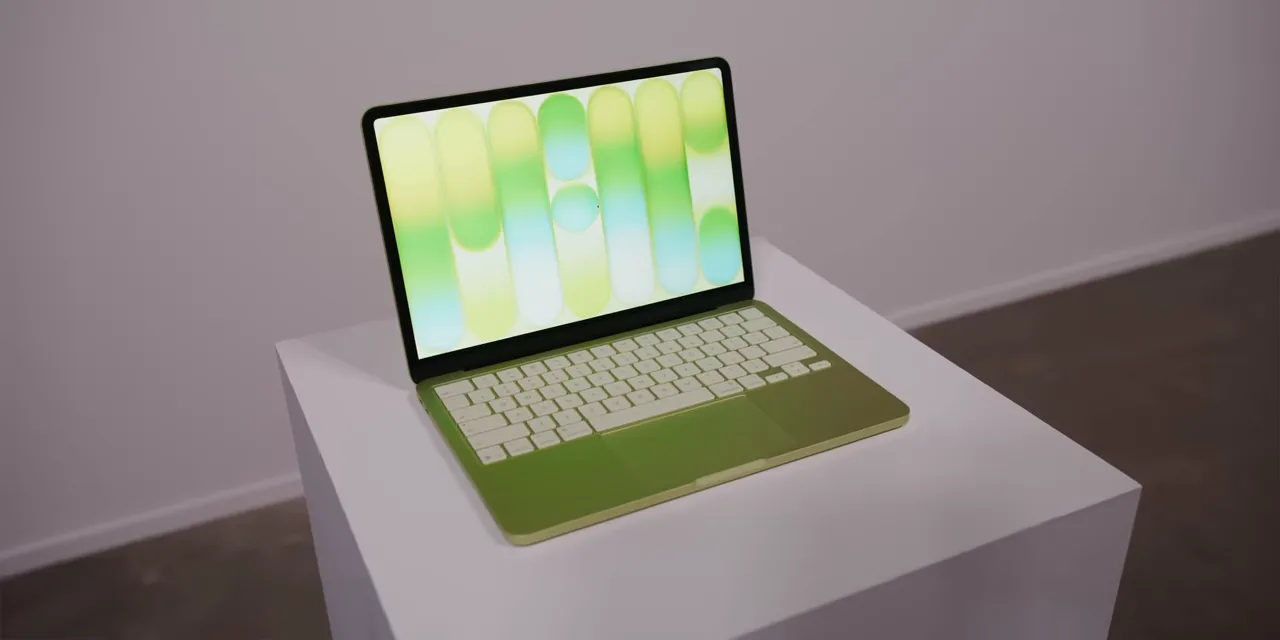
Every color gets a mostly white keyboard with a subtle tint that matches the laptop. In the lighting where I tried them, that tint was surprisingly hard to pick out on a single machine. Put a couple next to each other, though, and you can see it.
The whole thing is thin and reasonably light. But the important part isn't just the spec sheet. It's that Apple has made a $599 laptop that still feels recognizably like a MacBook.
An iPhone Chip in a Laptop Is the Big Question
The A18 Pro is the X-factor here. We know it as a phone chip. How does it behave when it's running a computer?
I haven't done the testing to answer that properly yet. But after a few minutes of opening things and moving around the system, it seemed completely fine for the work this machine is clearly meant to do:
- Web browsing and shopping.
- Email.
- Spreadsheets and other everyday productivity tasks.
- Basic multitasking.
A lot of regular computer use simply doesn't require a ton of processing power. This feels built around that reality.
I wouldn't buy it expecting a video-editing machine or a workstation for intensive projects. I also wouldn't be surprised if it handled some light photo editing and a reasonable amount of multitasking just fine. Those are expectations, not benchmark results.
The easiest way to think about it is as Apple's take on a Chromebook. A Safari-book, basically. A super-basic computer, but a Mac.
And that makes the intended audience pretty clear. If your first question is whether 8GB of RAM will be enough for your particular workflow, this probably isn't the computer you should be considering. If you're already concerned about the lack of Thunderbolt, same thing. The Neo isn't trying to satisfy every enthusiast requirement at a lower price. It's trying to cover ordinary computing needs for much less money.
Battery Life Could Be Interesting
An iPhone-class chip paired with a laptop-sized battery and chassis sounds like a promising combination. Apple quotes up to 16 hours of battery life.
That number alone doesn't tell me much before testing. The more useful comparison is that Apple quotes the MacBook Air at up to 18 hours. So, on Apple's own scale, the Neo should be in roughly the same ballpark, rather than some completely different endurance category.
Whether that translates into great real-world battery life is something that still needs to be measured.
Where Apple Saved Money, and Where It Didn't
The obvious reason this laptop exists is to make a MacBook much more attainable. The M5 MacBook Air starts at $1,100. The Neo comes in $501 below that.
But here's what stood out in person: it doesn't feel like a cheap laptop. The aluminum body, the hinge resistance, and the overall construction feel very much in line with Apple's more expensive machines. Based on this first impression, it could end up being one of the best-built laptops at its price.
Apple has made compromises. They just aren't all in the places you'd immediately feel when picking it up.
USB-C, Not Thunderbolt
There are two USB-C ports on the left, but neither is Thunderbolt. The port labeling also distinguishes a USB 3.0 port from a USB 2.0 port. So these aren't simply two interchangeable high-speed connections.
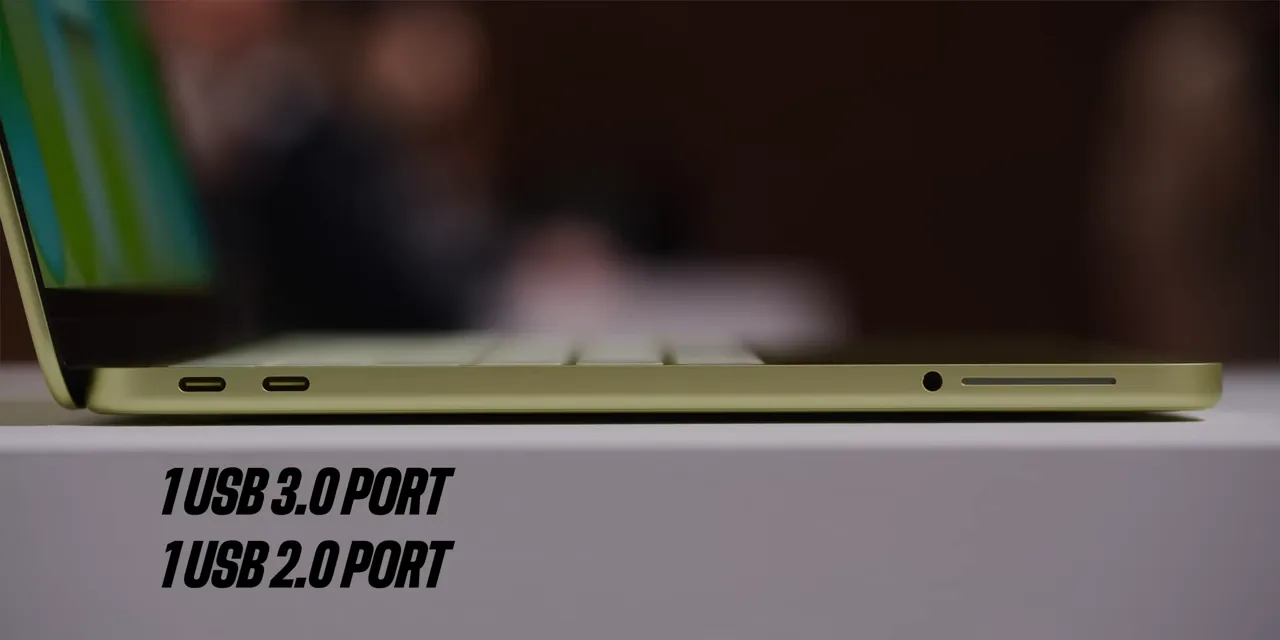
That distinction matters if you're shopping around a particular accessory or data-transfer workflow. For someone who mostly needs a basic laptop, it may barely register.
Touch ID Costs Another $100
The base 256GB model doesn't have Touch ID. In its place, there's a regular lock button on the keyboard.
Spend another $100, bringing the price to $699, and you get both 512GB of storage and Touch ID. That's worth noting when comparing configurations: the upgrade isn't just extra storage.
The keyboard also isn't backlit, another small reminder that this is the entry-level machine.
A Real Clicking Trackpad
The trackpad isn't the haptic design used on the other MacBooks. This one physically moves and clicks. Old-school.
That sounds like a potentially big downgrade on paper, but in my brief use, it felt totally fine. It's different, not immediately bad.
A Perfectly Okay Display
The display is okay. Not amazing, not a standout, just okay. It has fairly normal-looking bezels, a resolution a little higher than 1440p, a 60Hz refresh rate, and a maximum brightness of 500 nits.
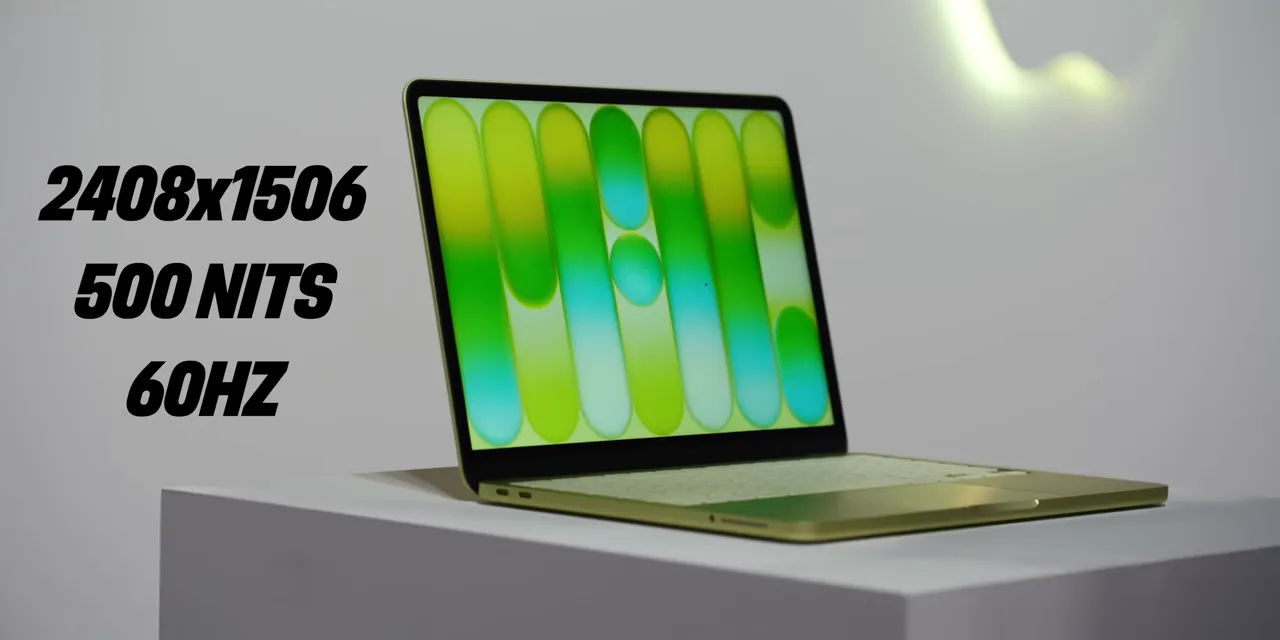
The rooms where I tried it weren't especially bright, so this wasn't a useful test of difficult lighting conditions. Nothing about the screen struck me as extraordinary, which is probably about what you'd expect here.
I did find myself expecting the laptop to be a little lighter because it's on the smaller side. But it's still all metal, and at 2.7 pounds, it weighs the same as the slightly larger MacBook Air. Smaller doesn't automatically mean lighter.
Students Are the Obvious Audience
You know where this could really work? Education.
Not just college students, either. High school and younger students are a very obvious fit for a basic, well-built laptop, and that's territory Chromebooks have occupied successfully for years.
The Neo isn't suddenly as cheap as the least expensive Chromebooks. But it's a lot closer than an $1,100 MacBook Air. With Apple's student pricing, the MacBook Neo starts at $499.
It also fits the familiar Apple ecosystem pitch. If you're comparing a thin-and-light laptop from Acer with one from Apple, and you already have an iPhone, the way the Mac works with your phone becomes part of the decision. For context on those connections, Apple's Continuity guide explains how its devices work together.
Until now, students trying to get below MacBook Air pricing often looked at a cheaper refurbished Mac or tried to make an iPad work as their computer. The Neo changes that calculation.
The iPad Comparison Gets Awkward
Using the prices in this comparison, a base iPad costs $329. Apple's keyboard accessory adds another $250. That's $579 before adding a Pencil, already very close to the Neo's $599 starting price.
And that iPad configuration has 128GB of storage and an A16 chip, compared with the Neo's 256GB and A18 Pro.
If the goal is specifically to get a computer with a keyboard, the Neo starts looking like a much better value. You don't have to assemble a tablet setup to get near MacBook functionality. You can just get a Mac.
The 12-Inch MacBook, Reincarnated
This is the part I keep coming back to: Apple has tried a version of this idea before.
About ten years ago, before Apple silicon, the company made the 12-inch MacBook. It was supposed to be even smaller, thinner, and lighter than the MacBook Air. And it was.
It also wasn't a very good laptop.
The original configuration had a 1.1GHz dual-core Intel processor that struggled with throttling. It was beautifully portable, but it still cost $1,300. Thinness was doing a lot of the selling.
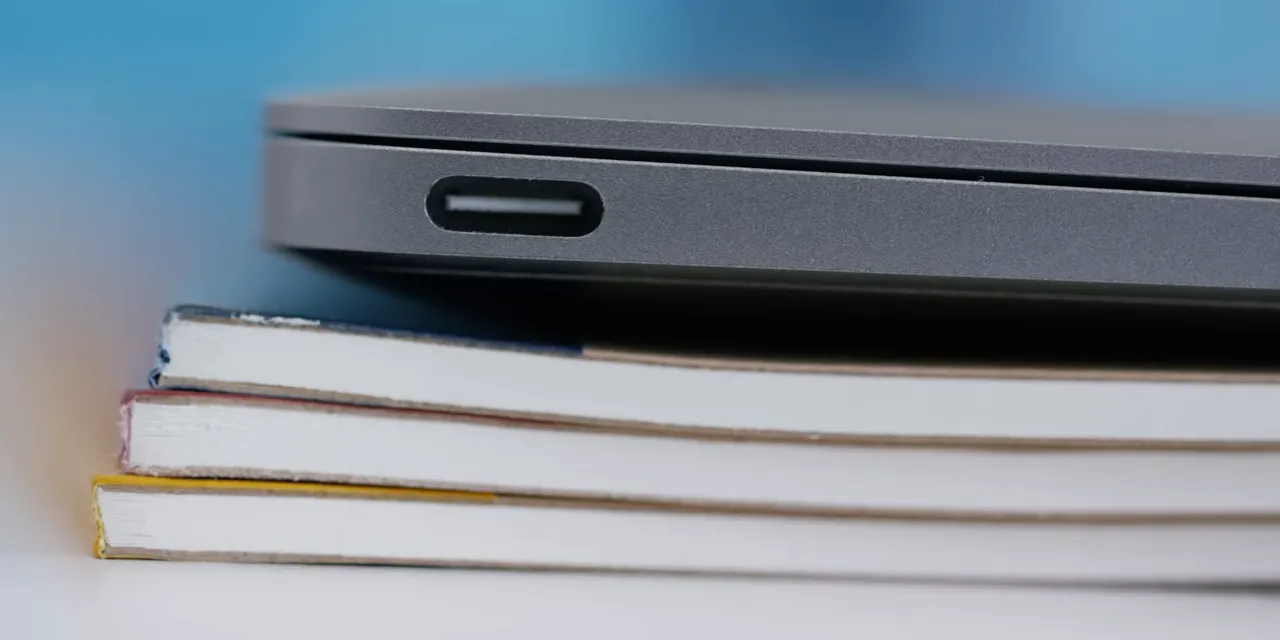
Look at the similarities: a small display, 8GB of RAM, 256GB of storage, and USB-C as the only port type for data and charging. That older machine was essentially Apple's first attempt at a netbook-style Mac.
My theory is that Apple silicon finally made it possible to execute the idea properly. More efficient chips and tighter integration gave Apple a way to build the simple, compact computer that Intel couldn't really deliver in that design.
So here we are in 2026, with something that feels like the old 12-inch MacBook reincarnated. Not the exact same machine, but the same basic ambition, now with a much more sensible starting price.
I have a similar theory about the cylindrical Intel Mac Pro: the Mac Studio feels like the compact, powerful desktop Apple wanted that machine to be. That's also why I suspect the Mac Pro will eventually go away. To be clear, that's my theory, not an announcement.
The Rest of Apple's Release Week
The Neo is the headline for me, but it isn't Apple's only announcement this week. The rest of the lineup includes:
- Studio Display and Studio Display XDR: New displays, with the XDR replacing the Pro Display.
- iPhone 17E: MagSafe, twice the starting storage, and a new pink color.
- M5 Pro and M5 Max MacBook Pro: Spec updates, plus slightly less text on the keyboard.
- M4 iPad Air: Another chip upgrade.
The MacBook Neo is the one that opens up a different price category. It doesn't need to replace the Air or impress someone shopping for a Pro. It needs to be a solid basic computer, feel good to use, and justify that $599 price.
From this limited hands-on time, it's shaping up to do exactly that. Performance and battery testing still matter, but the starting point is promising: an inexpensive MacBook that doesn't immediately feel inexpensive.
Sponsor: Ridge's Anniversary Sale
Ridge is sponsoring this coverage. I've worked with the company as chief creative partner for the past couple of years, and its focus on better-built everyday gear is a big part of that relationship.
For its anniversary promotion, Ridge announced up to 40% off almost everything. A few of my regular recommendations are the tracker card, which works with Apple Find My and has a loud nearby chime; the MagSafe-compatible 5-in-1 power bank; and the redesigned Ridge Wallet 2.0, including new iridescent and forged confetti finishes.
|


